How to take better date-night photos on your iPhone
Find soft window light after dark, steady the phone and adapt your pose so a quick date-night portrait does not turn into a long blurry photo session.
By InstaBF · · 3 min read
Start here
Choose a small pool of steady light, use the main camera as your starting point, and pause comfortably while the phone finishes capturing. A lit window often gives a clearer face than a darker spot with a more dramatic background.
Choose the light before choosing the backdrop
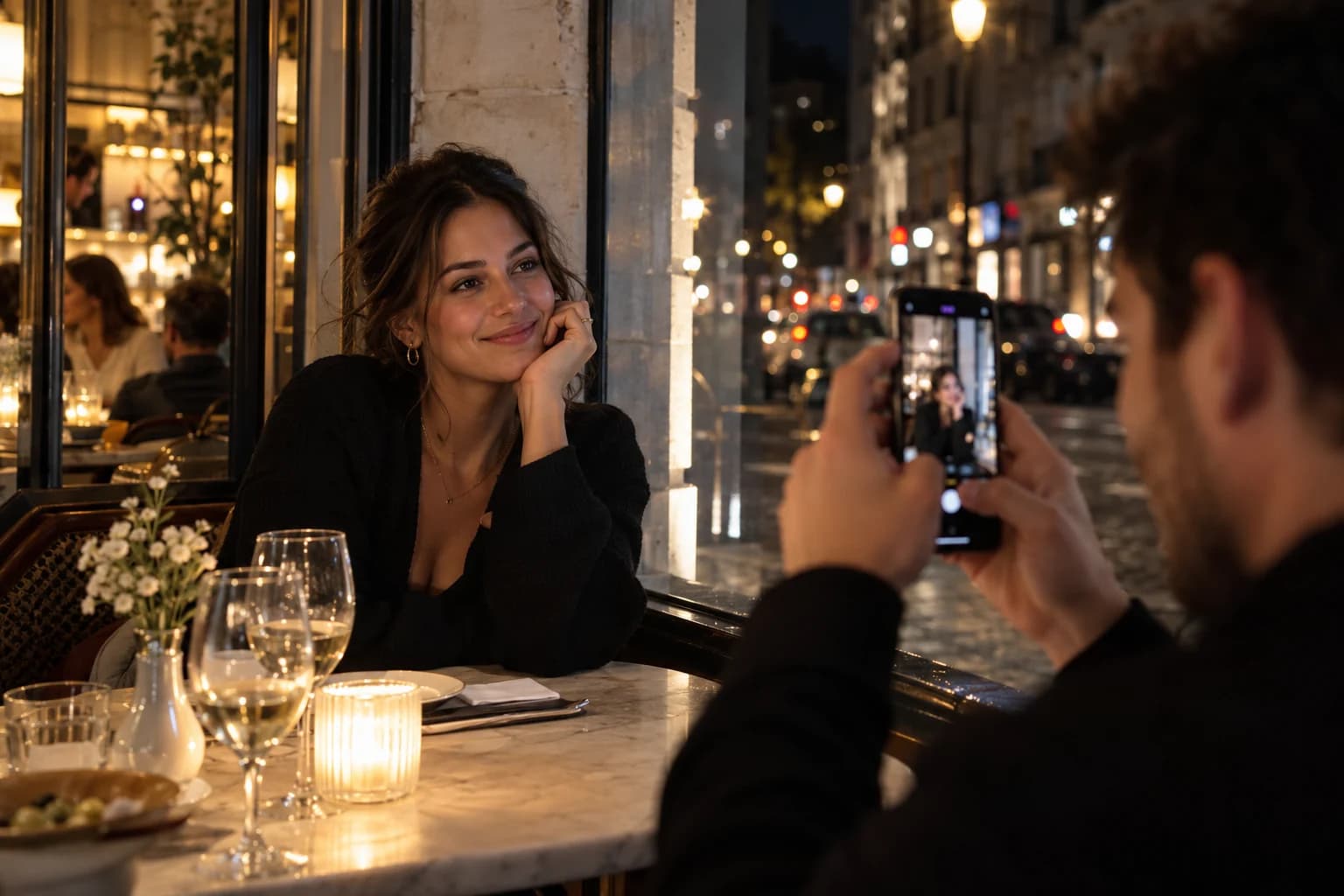
Look for a restaurant window, a softly lit entrance or another steady light that reaches the face. Stand a little to the side so the light shapes the expression without becoming a bright object directly behind the head. Keep the location comfortable for both of you.
Take one face-first test before committing to the full scene. A beautifully decorated doorway is not useful if its only lamp sits above your head and leaves your eyes in shadow. Turn toward the source or choose a different nearby spot instead of asking your partner to compensate with more zoom.
Start with a steady, simple capture
Try the main camera in Photo mode and let the phone settle. Hold it with both hands, keep your elbows comfortable and avoid moving it away immediately after pressing the shutter. If Night mode activates on a supported model, wait for the capture to finish.
A longer capture can help a still scene, but it asks more of a person who is moving. Start with a natural pause: seated, leaning comfortably or looking toward your partner. When you have that picture, try a little movement only if the light supports it.
Keep the face away from competing light sources
A colorful sign and a warm lamp can illuminate different sides of the face. If the result looks distracting, move toward one consistent light rather than adding another filter. Watch for bright windows or lamps that dominate the composition without adding useful context.
Flash is a stylistic choice, not an automatic upgrade. Compare it only if that is the look you want and the setting permits it. Take a test and look at reflections in glasses, nearby shiny surfaces and the difference between the subject and background before continuing.
Keep the photo break short and collaborative
Agree on one location, one crop and a short set. Look together for a frame you both enjoy, offer to swap roles, then put the phone away. A keeper from a simple well-lit spot is more useful than a whole camera roll from an unworkable one.
InstaBF can make the framing handoff clearer once you have found the light. It does not guarantee sharpness in darkness or freeze a moving subject. If the scene remains difficult, capture a wider memory of the place or a small detail from the table and enjoy the date.
Before you hand over the phone
- Find light that reaches the eyes.
- Start with the main camera and a stable hold.
- Pause until a Night mode capture finishes.
- Keep one short photo break, then swap roles.
Common questions
Is Portrait mode best for every date-night photo?
No. Start with Photo mode when light is limited and compare the result. Night mode Portrait availability depends on the model; it is not the same across all iPhones.
Why do walking night portraits look blurry?
The subject or phone may move during a longer low-light capture. Try a brighter spot and a paused moment before adding a walking prompt.
Sources and further reading
Camera features are described in the sources below. Shooting setups and posing suggestions are InstaBF editorial guidance.
Keep learning: Help your boyfriend take better photos of you. Using a specific phone? See which lens to use on your iPhone.